eGramSwaraj Portal: Find Reports, Payment Information & Panchayat Resources
eGramSwaraj.org is an independent civic-tech resource for understanding and navigating India's eGramSwaraj portal. Access official report paths, GPDP planning tools, accounting codes, and verified government resources.
Locate any public financial progress report, GPDP plan, voucher register, or elected member directory on the official portal with step-by-step navigation paths and direct links.
12 verified report paths available
Citizen Transparency Guarantee:
Under Ministry of Panchayati Raj guidelines, all public financial progress reports, approved action plans, and payment records are open to citizens without requiring a login, password, or fee. Follow the verified navigation path below on egramswaraj.gov.in.
Approved Gram Panchayat Action Plan (GPDP)
PlanningPublic (No Login Required)
Inspect the finalized annual developmental plan of any Gram Panchayat in India. Displays total budget envelope, approved sectoral allocations (drinking water, sanitation, rural roads, education), and scheme convergence sources.
Official Portal Navigation Path:Reports > Planning > Approved Action Plan > Select Financial Year > State > District > Block > Gram Panchayat
PFMS Online Payment Status & FTO Integration Dashboard
PFMSPublic (No Login Required)
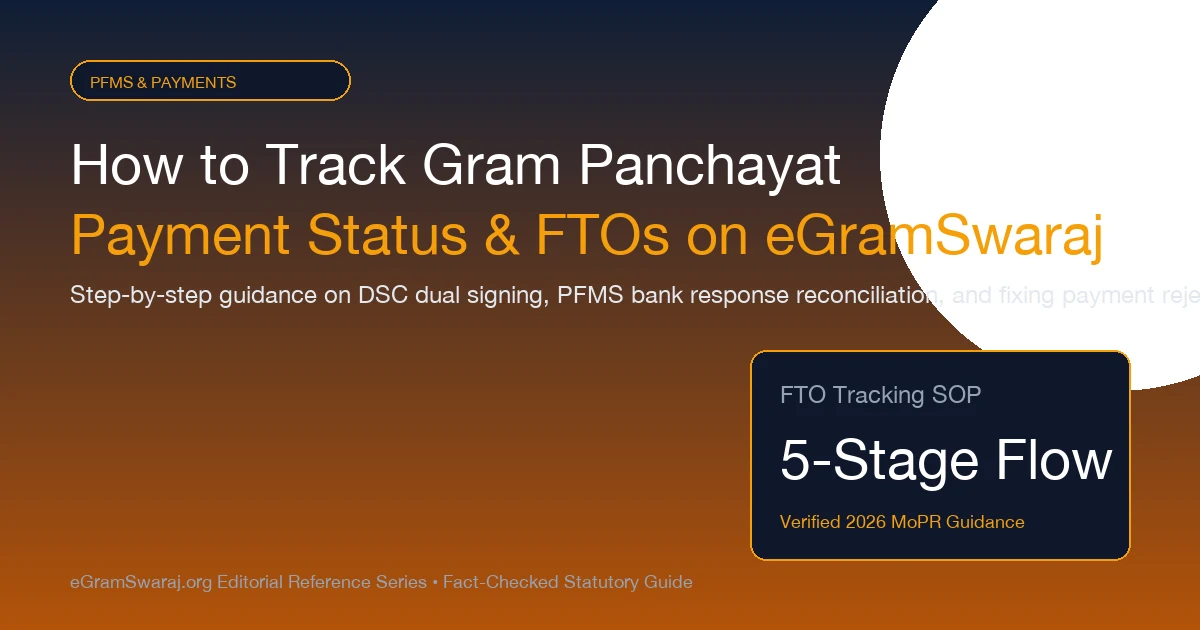
Track Financial Transfer Orders (FTOs) generated in eGramSwaraj and transmitted to banks via PFMS. Shows account validation, pending approvals, and vendor payment confirmation.
Official Portal Navigation Path:Reports > Accounting > PFMS Dashboard / Online Payment Status > Select FY > State > District > Block > GP
Identifies disbursements that have received dual DSC signatures but remain awaiting bank gateway processing, response reconciliation, or IFSC corrections.
Official Portal Navigation Path:Reports > Accounting > Bank Pending Payment Report > Select State > Bank > Branch > GP
Scheme-wise Receipts and Expenditure Statement (RecExp)
AccountingPublic (No Login Required)
Detailed statement showing opening balance, receipts from 15th FC Tied/Untied, State Finance Commission, Centrally Sponsored Schemes, own revenue, expenditure vouchers, and net balance.
Official Portal Navigation Path:Reports > Accounting > Receipts & Expenditure Report > Select Financial Year > State > District > Block > GP
Inspect the physical implementation of development works on the ground. Audits Stage 1 (Before), Stage 2 (During), and Stage 3 (Completed) geo-tagged photos and GPS coordinates.
Official Portal Navigation Path:Reports > Progress Reporting > Geo-tagging Progress Report > Select State > District > Block > GP
Official directory of the Gram Panchayat, including Census code, LGD code, geographic boundary details, population demographics, and registered bank accounts.
Official Portal Navigation Path:Reports > Panchayat Profile > Gram Panchayat Profile > Select State > District > Block > GP
Annual Financial Year Book & Closed Accounts Summary
AccountingPublic (No Login Required)
Official year-end closing report confirming reconciliation of all receipt and payment vouchers, zero pending unclassified transfers, and statutory balance carryforward.
Official Portal Navigation Path:Reports > Accounting > Year Book > Select Financial Year > State > District > Block > GP
Try searching with common terms such as "cashbook", "FTO", "GPDP", "balance", or "assets". Alternatively, reset the filter to view all verified reports.
Reference guide to model statutory service delivery timelines (SLAs), required documents, and two-tier grievance escalation matrices.
Core Governance Ecosystem
Understanding eGramSwaraj: India's Rural Local Governance Platform
Launched under the Digital India initiative by the Ministry of Panchayati Raj in technical collaboration with the National Informatics Centre (NIC), eGramSwaraj serves as the single digital operating platform across India's 2.55+ lakh Gram Panchayats.
Anchored in the 73rd Constitutional Amendment Act (Article 243G), the platform replaces fragmented software by unifying annual plan formulation (GPDP), physical work monitoring with geo-tagging (mActionSoft), and online voucher accounting integrated with PFMS and AuditOnline.
1. Decentralized Planning (GPDP):
Grassroots annual plan preparation and Gram Sabha resolutions across 29 devolved constitutional subjects and 9 Localization of SDGs (LSDG) themes.
2. Progress Reporting & Geo-tagging:
Physical execution tracking across 3 stages (Before, During, and After with CIB board) via the official mActionSoft mobile application.
3. Accounting & PFMS Integration:
Double-entry voucher management, daily cashbooks, and dual Digital Signature Certificate (Maker Secretary + Checker Sarpanch) payments directly to vendor bank accounts.
Official Government Portal
Official Ministry of Panchayati Raj & Central Government Portals
All genuine government administration, Digital Signature Certificate (DSC) authorization, approved plan files, and official circulars are hosted exclusively on official .gov.in and .nic.in domains. Always verify transactions on genuine government portals.
Welcome to WordPress. This is your first post. Edit or delete it, then start writing!
September 29, 20261 min read
Clear Answers
Frequently Asked Questions about eGramSwaraj
Factual answers regarding portal access, public report navigation, payment guidance, and independence.
Is eGramSwaraj.org the official government portal of India?
No. eGramSwaraj.org is a 100% independent civic-tech reference and informational portal. The official portal operated by the Ministry of Panchayati Raj is hosted at https://egramswaraj.gov.in/. We do not represent, manage, or claim affiliation with the Government of India.
Can citizens check Gram Panchayat expenditure and reports for free?
Yes. The Ministry of Panchayati Raj provides full public transparency on the official portal. Any citizen can view Approved Action Plans (GPDP), ongoing work progress, daily cashbooks, and bank balances without requiring a login or password. You can use our Report Finder tool above to locate the exact report path.
What are the Maker and Checker roles in eGramSwaraj?
The Maker role (typically the Panchayat Secretary or Data Entry Operator) creates vouchers and drafts plans. The Checker role (the Sarpanch, Pradhan, or Gram Panchayat President) audits and approves these items. Both roles must apply their separate Digital Signature Certificates (DSC) to complete financial disbursements via PFMS.
How do vendors check their online payment status?
Vendors can track Financial Transfer Orders (FTOs) through the official public PFMS dashboard on egramswaraj.gov.in/pfmsDashboardNew.do. Our Online Payment Status Guidance tool provides detailed explanations of status codes such as "Pending at Checker", "Sent to PFMS", or "Rejected: Invalid IFSC".
Do I need to enter credentials or passwords on eGramSwaraj.org?
Never. eGramSwaraj.org does not have login forms or collect government credentials, OTPs, or DSC PINs. For all official administrative logins, always go directly to egramswaraj.gov.in.
Independent Reference Portal Notice
eGramSwaraj.org is an independent civic-tech information, guide, and reference tool portal. We are NOT affiliated with, authorized by, or associated with the Ministry of Panchayati Raj, National Informatics Centre (NIC), or the Government of India in any official capacity.
All product names, logos, and brands are property of their respective owners. Official government administrative actions, Digital Signature Certificate (DSC) approvals, and financial voucher authorizations must only be performed through the official portal at https://egramswaraj.gov.in/.